Adding a Layout
Click the Add a Layout option to open a window with predefined layout templates.
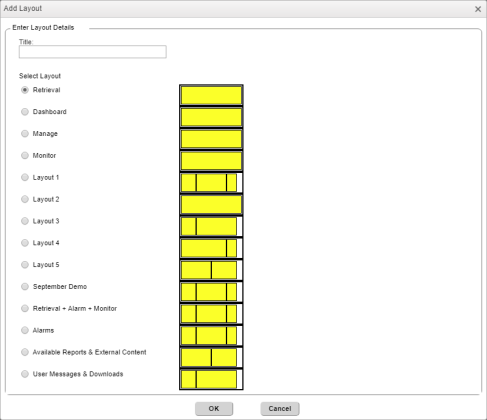
Toggle Layout Actions – Add Layout
Here a user can assign a Title caption for a layout and choose a layout template from one of the available options.
The file where these layout templates are stored is in the following folder directory:
For example:
CLU\WBIUserSettings\MASTER\SETTINGS\MasterWbiDefaultLayoutsFilename.txt
The above file must be designed in consultation with a client because this becomes the list of pre-configured layouts that are available for a given User Interface site.
To add a layout, enter the name in the Title field, select the radio button for the layout, and then click OK. A new tab will be added to the list of existing tabs. The new layout will now appear and will be pre-populated with a few widgets. The user can then change these widgets from any of the panels in the new layout.